Transactions Tab
Add, find, and categorize transactions without opening Google Sheets.
Your Transactions
Transactions are grouped by day, with each day’s total in its header. Tap a day to open or close it, or use + / − at the top of the list to open or close every day at once.
Each transaction shows:
- The merchant’s logo and description
- The amount
- Its envelope, shown as a pill (tap it to change the envelope)
- The account it came from
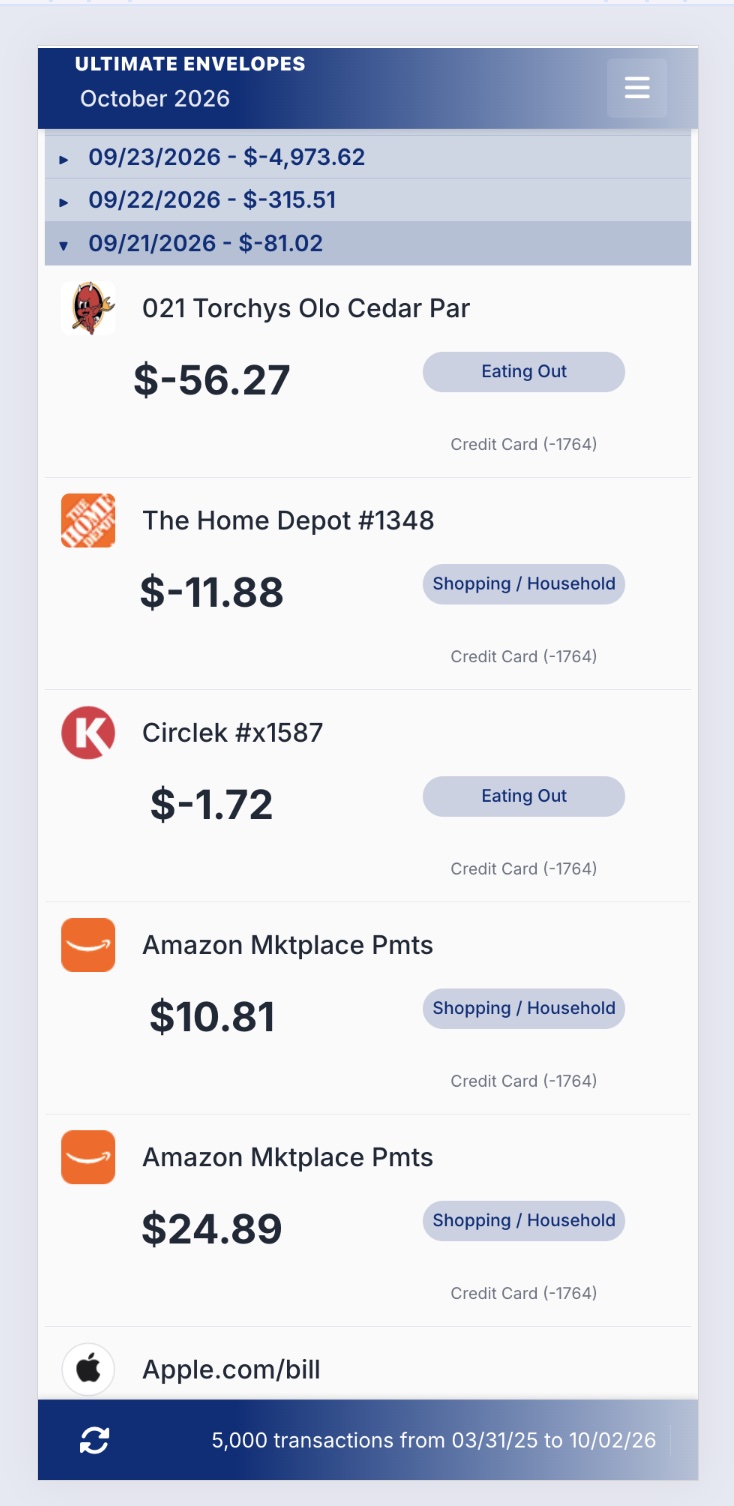
The bar at the bottom shows how many transactions are loaded and the date range they cover. To load more history, raise the Transaction Record Limit on the Settings tab.
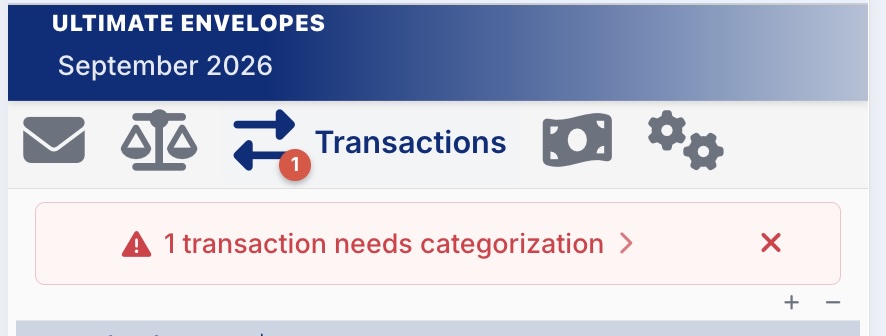
The red number on the Transactions tab is how many transactions still need an envelope.
The Transactions Menu
Tap Transactions in the tab bar again to open its menu.
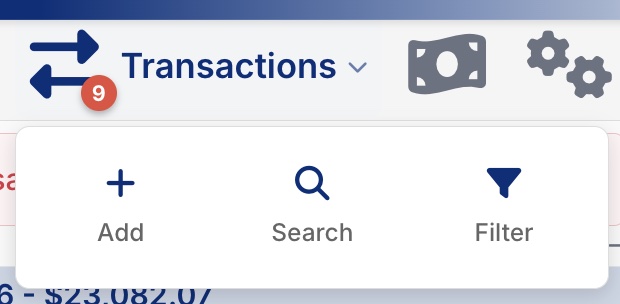
| Option | What it does |
|---|---|
| Add | Add a new transaction. |
| Search | Opens the search box. Tap the arrow beside it to show more filters. |
| Filter | Opens the search box with all the filters already showing. |
Add a Transaction
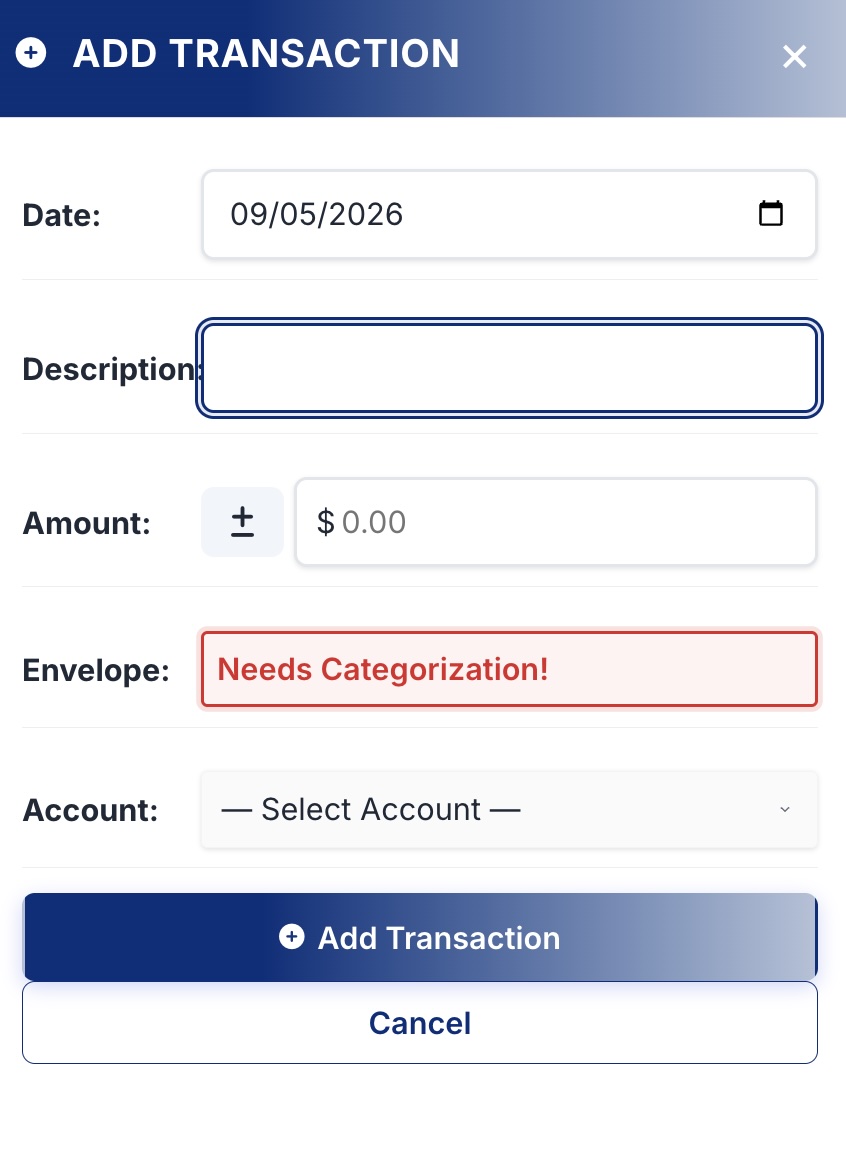
- Tap Transactions again, then Add.
- Fill in the date, description, amount, envelope, and account.
- Tap Add Transaction. It’s saved to your Google Sheet right away.
Search and Filter
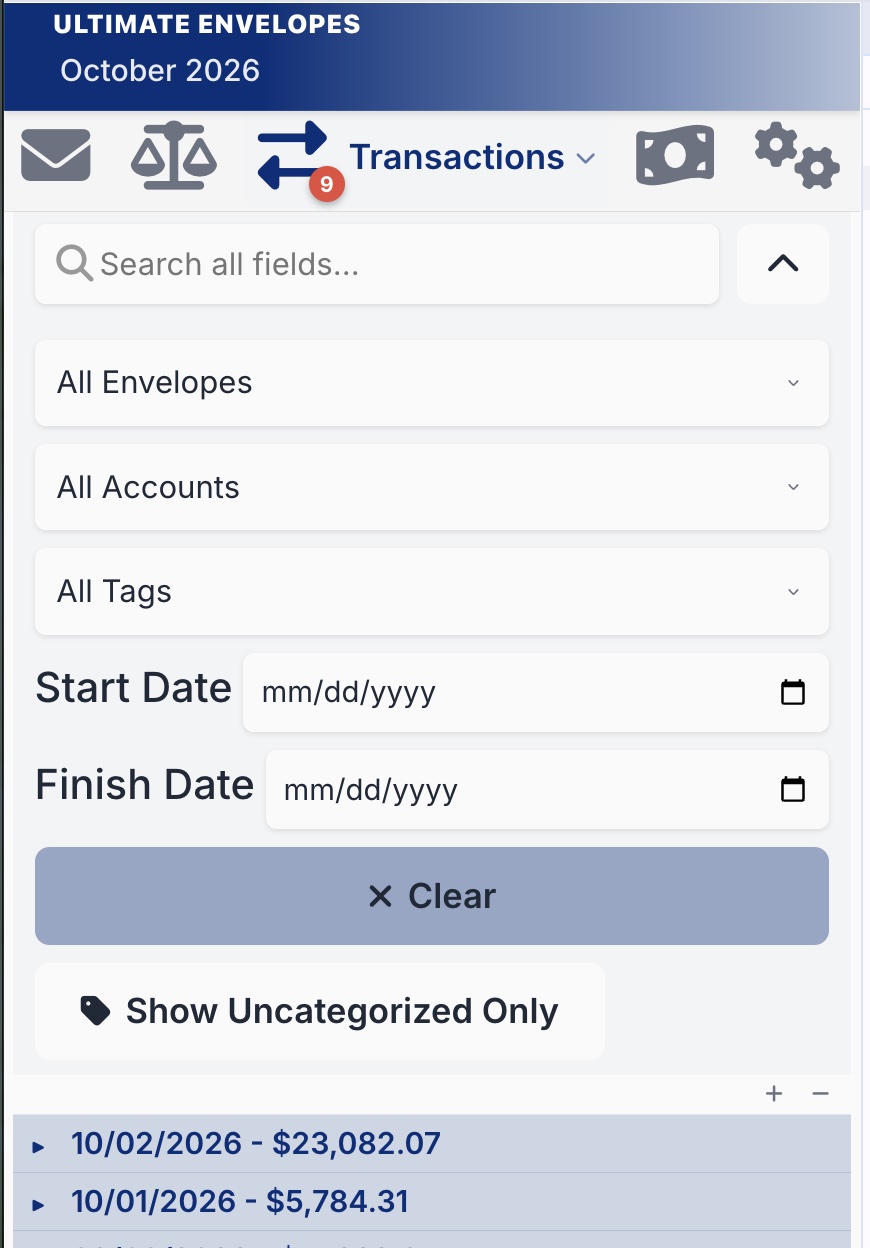
Narrow the list to just the transactions you’re looking for:
| Filter | What it does |
|---|---|
| Search all fields | With just the search box open, matches description, envelope, account, amount, date, and tags. Once the extra filters are open, it matches the description only. Use the dropdowns for the rest. |
| All Envelopes | Show only one envelope’s transactions. |
| All Accounts | Show only one account’s transactions. |
| All Tags | Show only transactions with a certain tag. |
| Start Date / Finish Date | Show only transactions in a date range. |
| Show Uncategorized Only | Show only transactions that still need an envelope. |
| Clear | Remove all filters. |
Categorize Transactions
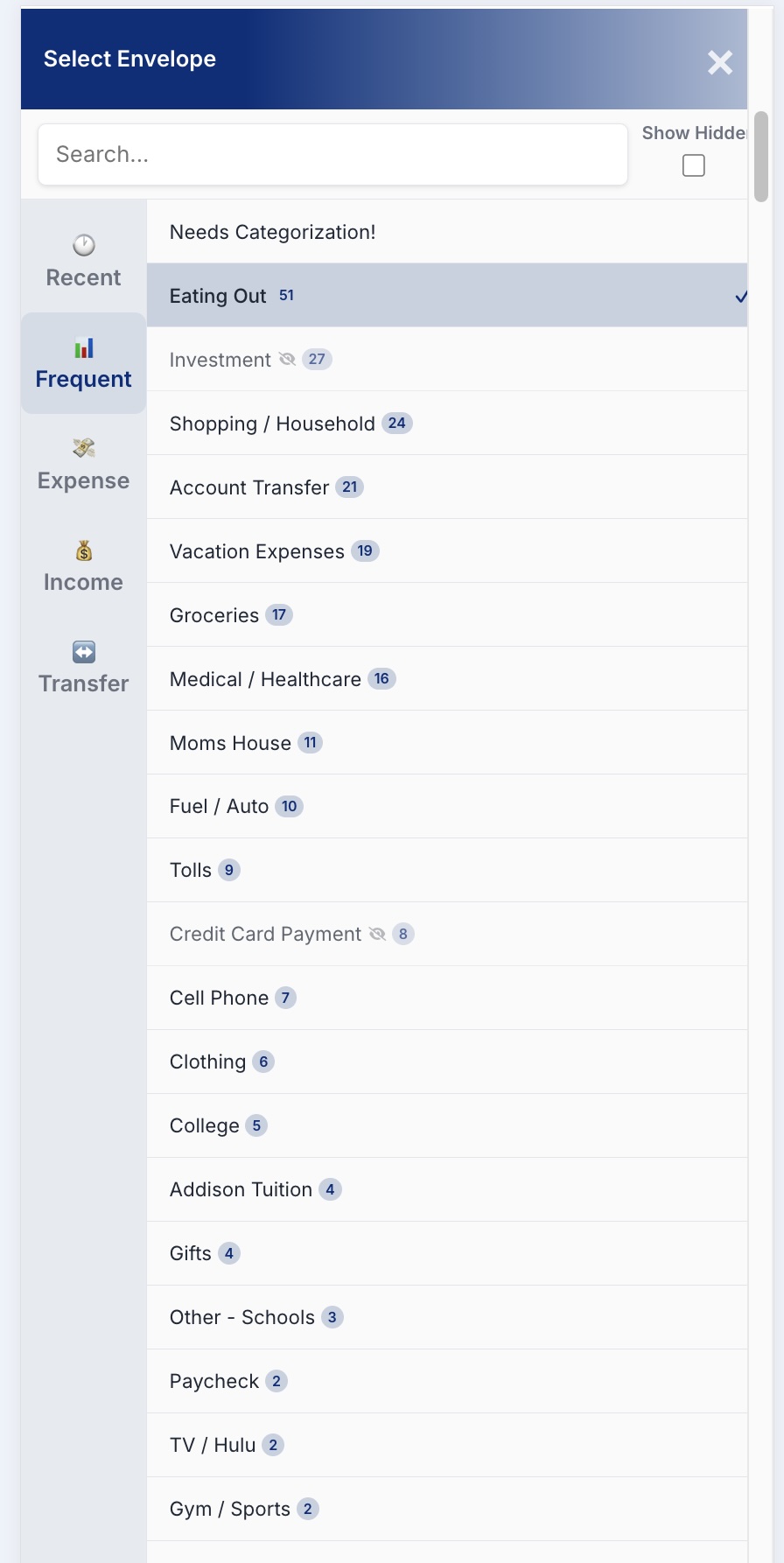
Tap a transaction’s envelope pill to pick an envelope from the Recent, Frequent, Expense, Income, or Transfer tabs. Transactions still missing one are flagged Needs Categorization.
Learn More
- Categorizing Transactions: suggested envelopes, confidence scores, and the full walkthrough
- Split Transaction: split one transaction across several envelopes
- Merchant Logos: add logos for merchants the app doesn’t recognize